Telehealth services for work schedules are virtual medical consultations designed to fit around professional commitments, not the other way around. The standard industry term is telemedicine, and it covers everything from video visits and phone calls to asynchronous chat with licensed clinicians. Most virtual care providers connect patients within 1–2 hours, making same-day care a realistic option even on a packed calendar. HIPAA compliance and encrypted platforms protect your health information whether you log in from a private office, your car, or your home.
The single most valuable feature in telemedicine scheduling is on-demand access. Typical telehealth appointments run 10–20 minutes, short enough to fit inside a lunch break or a gap between meetings. Booking to confirmation often takes under 5 minutes, which means you spend less time arranging care than you do waiting for a coffee order.
Flexibility in timing matters just as much as speed. Professionals with variable hours need providers that offer early morning, evening, and weekend slots alongside standard business hours. Telehealth reduces scheduling conflicts and eliminates travel time entirely, which UPMC Health Plan identifies as a direct factor in maintaining employee productivity.
Pro Tip: Block a recurring 30-minute slot on your work calendar each week labeled “personal appointment.” You protect the time without disclosing any medical details to colleagues.

Video visits are the most capable format for remote health consultations. A licensed clinician can assess visible symptoms, review your history, and issue a prescription during a single video call. Most medical consultations, including symptom assessment and prescribing, can be managed effectively without a physical exam for a wide range of conditions.
Phone consultations work well when video is not practical. If you are in a shared office or traveling, a phone call delivers the same clinical outcome for straightforward issues like medication refills or lab result reviews. Chat-based visits suit follow-ups and non-urgent questions, though they are slower for anything requiring real-time clinical judgment.
Pro Tip: Use headphones with a built-in microphone during any work-hour visit. You lower your voice, block ambient noise, and keep the conversation private without leaving your desk.
Privacy compliance is non-negotiable for any telehealth platform used during work hours. Not all platforms carry equal safeguards, so verifying HIPAA compliance in the United States or PIPEDA compliance in Canada before booking is a necessary first step. Encryption and secure video infrastructure prevent unauthorized access to your session or health records.
Protecting your own privacy at work requires a few deliberate habits. The platform handles data security on its end. You handle the physical environment on yours.
Automatic reminders are the most underrated feature in telemedicine scheduling. Appointment reminders and easy rescheduling directly reduce missed visits and the cascading conflicts that follow. A single missed appointment can delay treatment by days or weeks when the next available slot is scarce.
Calendar integration takes that one step further. Some platforms sync directly with Google Calendar or Outlook, placing your appointment in the same view as your work meetings. That visibility makes it far easier to protect the time.
| Feature | Why it matters for professionals |
|---|---|
| Automatic reminders | Prevents forgotten visits during high-pressure workdays |
| One-click rescheduling | Resolves conflicts in seconds without calling a clinic |
| Calendar sync | Keeps health appointments visible alongside work commitments |
| After-hours availability | Serves professionals whose core hours are fully committed |
| On-demand slots | Eliminates the need to plan days in advance |
Switching one in-person appointment to telehealth preserves treatment consistency without requiring any overhaul of your weekly schedule. That single swap is often all it takes to stay on track with ongoing care.
Pro Tip: Set your telehealth reminder to fire 15 minutes before the appointment, not just the standard 24-hour notice. That short-window alert is what actually gets you to close a browser tab and log in on time.
The right virtual care provider matches your specific work pattern, not a generic average. Start by mapping your actual availability. If your mornings are locked in meetings, a provider with strong evening and weekend slots matters more than one with the fastest average response time.
Check for multi-format support before committing. A provider that offers video, phone, and chat gives you options when your environment changes. If you travel frequently, phone-only fallback is not optional. It is required.
Confirm privacy compliance for your region. HIPAA applies in the United States. PIPEDA governs Canada. A provider that meets one standard may not meet the other if you work across borders. Online primary care services vary significantly in what they cover, so reviewing the scope of care before your first visit saves time later.
Look specifically for chronic care follow-up and prescription management. Professionals managing ongoing conditions need more than a one-time consult. A provider that handles online prescription access and refills within the same platform removes a separate errand from your week. RoenRx, for example, integrates same-day appointments, care team messaging, and prescription delivery into a single workflow built for busy schedules.
Finally, test the booking interface before you need it urgently. A platform that takes 10 minutes to navigate defeats the purpose of on-demand care. The best services complete booking in under 5 minutes from any device.
Telehealth services built for work schedules reduce missed care by combining same-day access, short appointment windows, and HIPAA-compliant privacy into one platform professionals can use from anywhere.
| Point | Details |
|---|---|
| Same-day access is standard | Most providers connect patients with a clinician within 1–2 hours of booking. |
| Short visits fit real schedules | Appointments typically run 10–20 minutes, fitting inside a lunch break or short gap. |
| Privacy requires two layers | The platform handles encryption; you handle your physical environment and calendar labels. |
| One switch preserves consistency | Replacing a single in-person visit with telehealth keeps ongoing treatment on track. |
| Match the provider to your pattern | Choose based on your actual available hours, not average response time alone. |
The conventional wisdom says you need to “make time” for healthcare. I think that framing is wrong. It treats health as a competitor to productivity rather than a condition for it. Telehealth does not ask you to make time. It fits into time you already have.
The professionals I have seen struggle most with virtual care are the ones who treat it as a lesser substitute for an in-person visit. That misconception costs them. Midday telehealth appointments for stress management, for example, are clinically effective precisely because they happen in real time, not hours later when the stress has compounded. Waiting until the weekend to address a Wednesday problem is not a healthcare strategy.
The privacy concern is real but manageable. I have seen people avoid telehealth entirely because they share an office. Headphones and a parked car solve that problem in 30 seconds. The barrier is almost always logistical, not clinical.
Telehealth complements traditional care. It does not replace the annual physical or the specialist visit that requires imaging. What it replaces is the 3-hour block you used to lose to a routine follow-up. That trade is worth making every time.
— Bryan
Busy professionals need care that works around their calendar, not the other way around. RoenRx offers same-day virtual appointments with licensed clinicians, covering primary care, anxiety, weight loss, and more. Booking takes minutes, visits run 10–20 minutes, and the platform handles prescription delivery so you never need a separate pharmacy trip.
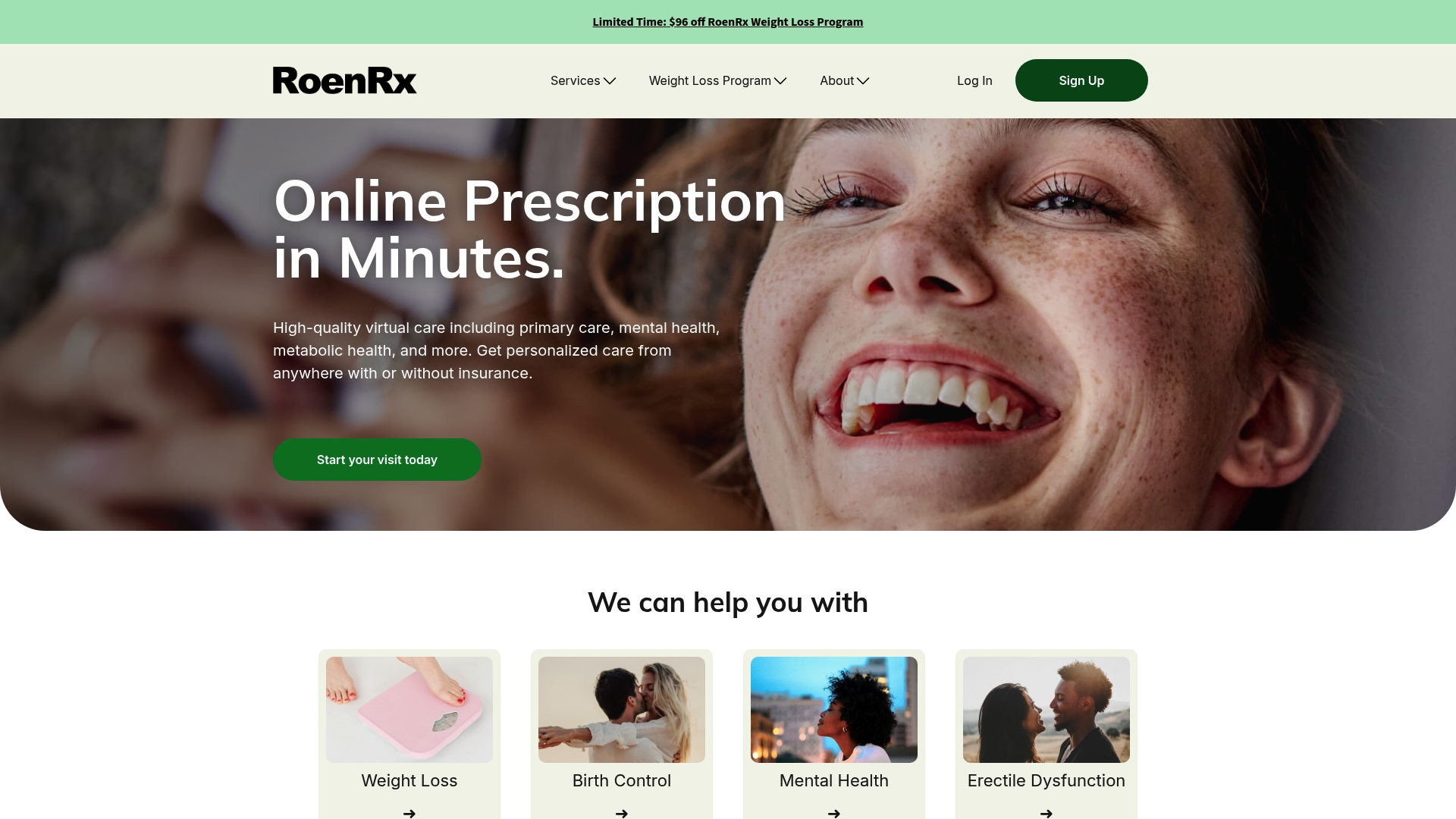
RoenRx is HIPAA-compliant and supports both video and phone visits, giving you a private, flexible option whether you are at your desk or between meetings. Care team messaging keeps follow-up simple, and prescription management is built directly into the platform. If your schedule has no room for a traditional clinic visit, RoenRx is built for exactly that situation.
Telehealth is virtual medical care delivered via video, phone, or chat with a licensed clinician. Professionals use it to access same-day consultations, prescription refills, and follow-up care without leaving their workplace or home.
Most providers connect patients within 1–2 hours, with booking confirmation taking under 5 minutes. That speed makes telehealth viable even on short-notice scheduling gaps.
Yes, provided the platform is HIPAA-compliant and you attend the session from a private space. Using headphones and a closed room eliminates the most common privacy risks in shared workplaces.
Most medical issues including chronic condition management, prescription refills, and follow-up care can be handled remotely. Platforms that integrate messaging and prescription delivery make ongoing care practical for working adults.
Label appointments as recurring meetings on your work calendar without disclosing the medical nature. This secures the time and maintains professional boundaries without requiring any disclosure to colleagues or managers.